Switch rooms without cutting the conversation
Switching rooms inside the community takes about 62 milliseconds and does not reconnect the call. You join another conversation in the middle of a sentence, without the cut of a reconnection.
Voice, video, screen and chat
Voice calls, video, screen sharing and chat in rooms that are always open, in a virtual office where you see who is in each conversation. In the browser, or in the app for Windows and Linux.
No card. Already have an account? Enter or download the app
0%Building the map
Clean voice, with noise and echo suppression. Switching rooms does not drop the call.
Camera in the call and picture in picture so you can keep watching while you do something else.
Profiles for motion (Game, up to 1080p at 60 frames) and for text and detail. Anyone who wants can watch.
History, replies, reactions and mentions. Direct messages and groups with your friends.
Pick a name, set up the rooms and send the invite. The invite has a usage limit and an expiry date.
Pick the room from the list or walk to it in the virtual office: entering the room is already joining the call.
Clean voice, camera, screen sharing (up to 1080p60 in the Game profile) and chat in each room, in the browser or in the app.
PartyCall was born from a group of friends solving their own problems. These are the three that hurt the most.
Switching rooms inside the community takes about 62 milliseconds and does not reconnect the call. You join another conversation in the middle of a sentence, without the cut of a reconnection.
Up to 1080p at 60 frames in the Game profile, and a profile for text and detail. When the network gets tight, adjustment is automatic, and a drop that did not improve the picture is undone on its own.
Invites with a use limit, an expiry, and revocation. Rooms that are open, password-protected, request-to-join, or hidden from people who were not invited. None of this is a paid feature.
Everything here works today, in the product that is live. No list of promises for next year.
Sensitivity with a live meter, a noise gate with hysteresis, a leveler, noise suppression, echo cancellation, and automatic gain.
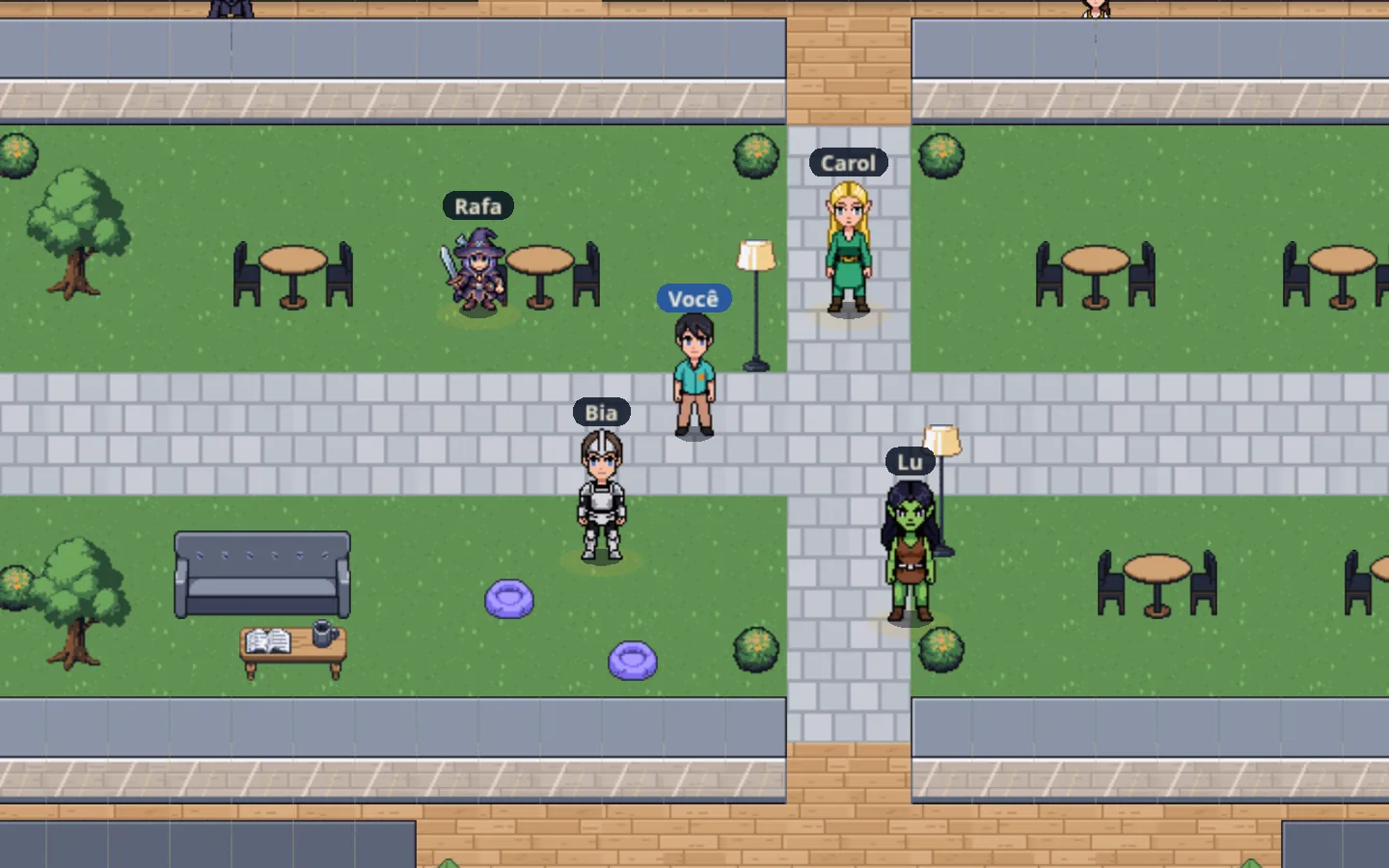
An office where your character walks with WASD, arrow keys, or a click. Entering a room on the map really does change the voice channel.
Reply with a quote, reactions, mentions with autocomplete, a typing indicator, and your draft kept when you switch rooms.
Kick, mute, deafen, move between rooms, per-community nickname, colored labels, and audit log.
Open, with a password, or knock and someone inside lets you in. A hidden room only shows up for people who were allowed in.
Screen capture through the graphics card at 1080p60, global shortcuts that do not swallow the key (on Linux, in an X11 session), and audio capture from a specific program or window, without injecting anything. Download.
Friendship does not depend on a community. A two-person conversation with history, presence status, and what you are playing or listening to.
Keyboard navigation, accessible names on icon buttons, announcements in aria-live and the map describing how to move around.
Each person appears on the map, and each room is a call. Enter a room to talk with whoever is there; step out for a private conversation in the room next door. It is the same map as in the app.
An open room where the group meets without scheduling a meeting: join, talk, show your screen and get back to what you were doing.
Privacy
Blocking and controlling who joins belongs to everyone, on any plan. Charging for protection is wrong and ages badly.
How we look after your dataThe free plan is complete on purpose: a communication space only makes sense with people together.
Everything PartyCall offers today, with no catches and no time limit.
Optional plans in development for massive servers and customizations.
No. PartyCall runs in the browser, with voice, screen sharing, chat and the map. The app for Windows and Linux is optional and exists for those who want screen capture through the graphics card, global shortcuts and capture of a program's audio. You can find it on the page Download.
Up to 1080p at 60 frames per second in the Game, which favors smoothness, when the network and the machine allow it; Text and detail, at 1080p and 30, which favors sharpness; and Weak connection stays at 720p30. Adjustment is automatic under bottleneck, and a quality drop that did not improve the picture is undone on its own.
A tiled office where each person is a character who walks with WASD, arrow keys, or a click. Entering a room on the map changes the voice channel, so you can move between conversations as if you were moving through a real place, instead of picking from a list.
Only people you invite. The invite is a code or a link with a use limit and an expiry, and it can be revoked at any time. Rooms can be open, password-protected, request-to-join, or hidden from people who were not allowed in.
The server does not record audio or video: they pass through the media server only to reach whoever is in the room. The desktop app has a replay that stores, only on your computer, the last 60 seconds of your own stream, and it can be turned off. Chat messages are kept as history.

Create the community, send the invite, and start the conversation. It takes less time than agreeing on a time.
Create a free account